What Actually Happens When You Start Using an AI Image Generator for the First Time
Most people don’t arrive at an AI image tool after careful research. They arrive because they need a visual right now — no budget for a designer, no time to learn Photoshop, no patience for a stock photo that almost fits but doesn’t quite.
This isn’t a feature review or a step-by-step tutorial. It’s closer to a field observation — what a solo content creator actually experiences when they first encounter a free AI Image Editor like Banana Pro AI, what they misunderstand early on, where they lose time, and what habits quietly stick around after the novelty wears off.
You Think You Know How to Use It. You Don’t — Yet.
The first instinct when opening any AI Image Editor is reassuring: just type what you want. That’s technically true. It’s also about 20% of the actual skill involved.
The gap between “I typed something” and “I got something useful” is where most beginners spend their first week. A prompt like:
“a woman standing in a city”
will produce something. It just won’t produce anything you’d actually use. The composition will feel generic, the lighting undefined, the style arbitrary. New users often blame the tool at this point. The more accurate diagnosis is that the prompt lacked specificity — not malicious vagueness, just the kind of vagueness that comes from not yet knowing what the tool needs to hear.
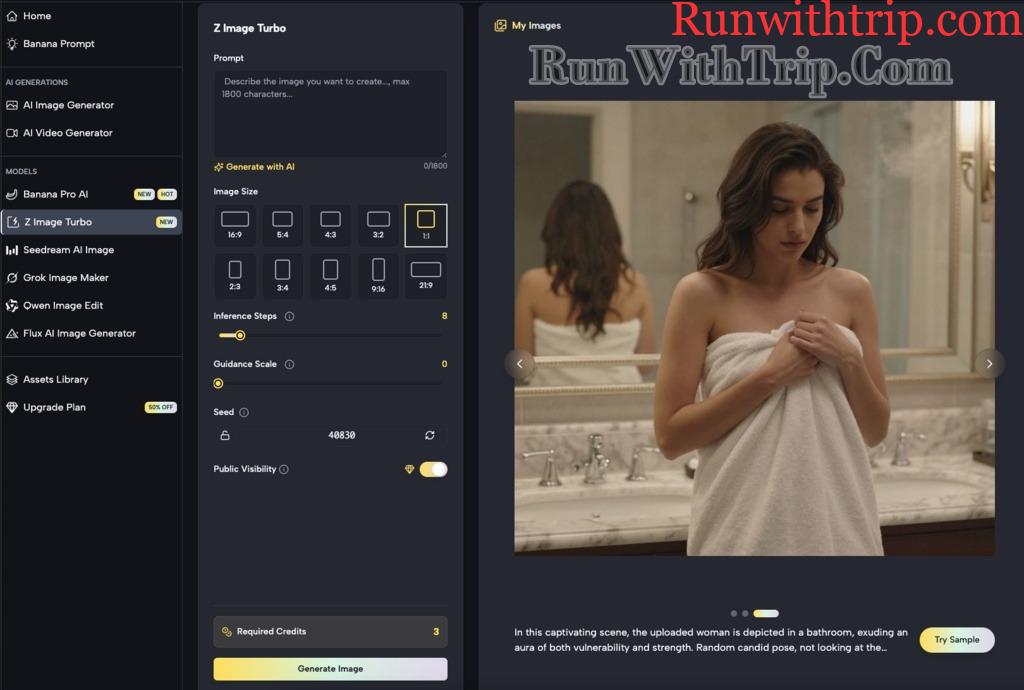
Nano Banana supports both text-to-image and image-to-image generation. That second mode tends to get overlooked by beginners, which is a shame — it’s often the faster path to usable results. Upload a reference image that captures the visual direction you’re after, and the system has something concrete to work from rather than interpreting your words from scratch.
Most users discover this feature after two weeks of frustrating text prompts. It rarely gets mentioned upfront.
Prompting Is a Communication Skill, Not a Magic Formula
This takes longer to internalize than most people expect.
Working with an AI Image Editor is fundamentally an act of visual translation. The image in your head needs to be converted into a description the system can parse. That description typically needs to address four things:
- Subject — what’s actually in the frame
- Style — photorealistic, flat illustration, painterly, editorial
- Light and mood — golden hour, clinical white, moody contrast, soft diffusion
- Composition — close-up, wide shot, overhead, centered subject
Beginners almost always nail the first one and skip the rest. The result is images that have content but no feeling — technically correct, visually inert.
I made this mistake repeatedly early on. I kept writing “product on a table” and kept getting something that looked like a warehouse catalog. Adding “minimal white surface, soft natural side lighting, clean e-commerce aesthetic” changed the output entirely. Same subject, completely different result.
The Prompt Snippet Habit
Experienced users tend to build a small personal library of prompt fragments — lighting descriptors, style phrases, composition cues that reliably produce good results. Nothing elaborate. A notes app works fine. The habit pays off quickly because good prompts are largely modular: you swap the subject, keep the style scaffolding.
Where Free Tools Actually Draw the Line
Anyone using Banana Pro AI or a similar free Nano Banana platform will eventually bump into the same quiet question: how far does this actually go?
The honest answer depends entirely on what you’re making it do.
For social media content — cover images, post visuals, concept mockups, event graphics — a free AI Image Editor can carry a surprising amount of the workload. These use cases reward speed and variety over precision, and that’s exactly where free tools tend to perform well.
The picture shifts when you need:
- High-resolution output for print or large-format display
- Strict brand color and style consistency across a batch
- Accurate rendering of real products or specific people
These are legitimate limitations, not flaws. They reflect what the tool is designed for. Nano Banana functions best as a rapid visual ideation engine — a way to explore and validate concepts quickly — rather than a replacement for a structured design workflow. Knowing that boundary upfront saves a lot of frustration.
When an AI Image Editor Actually Saves You Time (and When It Doesn’t)
This question deserves a direct answer, because the initial experience tends to swing between overconfidence and disappointment before settling somewhere realistic.
Time genuinely gets saved when:
- You have a clear visual direction but no execution resources. You know you want “a clean, minimal product shot with warm tones” — you just can’t produce it manually. A free AI Image Editor can generate several interpretations in minutes.
- You need volume over perfection. A/B testing creatives, multi-platform asset variations, content calendar filler — these scenarios reward quantity, and AI generation is fast at quantity.
- You’re in early creative exploration. A rough AI-generated image breaks the blank-canvas paralysis faster than anything else. It gives you something to react to, even if you end up going a completely different direction.
Time does not get saved when:
- You need precise edits to a specific region of an image (AI tools are still clumsy at targeted local control)
- Your brand guidelines are strict and non-negotiable (style consistency through prompting alone is genuinely hard)
- Your image needs to feature real, identifiable products or people (results drift in ways that are difficult to correct)
Both lists matter equally. The second one is what most tool reviews leave out.
What Actually Sticks After a Month
Give yourself thirty days of regular use with Banana Pro AI, and the thing that quietly accumulates isn’t feature fluency — it’s a different way of thinking about visuals.
You start describing images in your head before you create them. You look at a photo you like and instinctively think about how you’d prompt it. Your tolerance for “good enough” becomes more calibrated, less anxious. You stop expecting the tool to read your mind and start meeting it halfway.
Nano Banana and tools like it don’t make you a better designer in the traditional sense. What they do is make you better at articulating what you want visually — which turns out to be useful far beyond AI tools themselves.
For solo operators, lean content teams, and anyone who needs to produce visuals regularly without dedicated design support, that’s where the real value lands. The AI Image Editor doesn’t replace your judgment. It scales it.
The clearer your visual thinking, the more the tool gives back. That relationship holds whether you’re a beginner on day one or someone who’s been prompting for months.
Disclaimer
This article is intended for informational and educational purposes only. The views and observations expressed are based on general user experiences and do not constitute professional design, technical, or business advice. While tools such as Banana Pro AI or other AI image editors are referenced, this content is not sponsored, endorsed, or affiliated with any specific platform unless explicitly stated.
Results from using AI image generators may vary depending on user input, skill level, and platform capabilities. Readers are encouraged to conduct their own research and evaluate tools based on their individual needs before making any decisions.