I Tried Turning Images Into Short Videos On Three Platforms And One Felt Less Experimental
The first time I saw an AI‑generated video clip made from a single still image, I sent it to three colleagues with the subject line “this is going to change everything.” That was eighteen months ago. Since then, image‑to‑video features have quietly proliferated across AI platforms, moving from standalone research demos into integrated tools that sit next to the image generator you’re already using. I’ve been waiting for the moment when the feature stops feeling like a tech demo and starts feeling like something I can trust with a client’s Instagram Story. Last week, I finally ran a structured comparison, feeding the same set of source images into three platforms that offer image‑to‑video alongside their core generation tools. One AI Image Maker handled the transition from still to motion more gracefully than I expected, not because its video model was the most technically advanced, but because the integration with its image generator eliminated the export‑import dance that had been wasting my time.
Where The Hype Around AI Video Loses Me
The demos that circulate on social media are almost always cherry‑picked. A slow‑motion clip of a generated landscape with perfectly animated waterfalls, a subject turning their head with no facial distortion — these exist, but they represent the top one percent of outputs. The everyday reality of AI image‑to‑video, in my experience across multiple platforms, involves a lot of watching a character’s fingers meld into their coffee cup or a background building ripple like a funhouse mirror. I’ve learned to treat any video output that avoids uncanny‑valley artifacts as a win, regardless of cinematic quality.
The other friction point that the hype skips is the workflow churn. On several platforms, generating a video means generating an image, downloading it, uploading it to a separate video tool, waiting for processing, downloading the clip, and then realizing the source image needed a slight crop and starting over. That loop can eat twenty minutes before you’ve produced a single usable second of footage. I was far more interested in platforms that kept image and video generation in the same interface, sharing the same prompt context and generation history.
The Three‑Platform Video Stress Test
I chose three platforms that publicly offer integrated image‑to‑video: ToImage AI, which uses multiple video models including options from the Veo family; a well‑known competing platform with a similar integrated approach; and a third platform I’d been using primarily for image generation that recently added a video beta. I prepared five source images spanning different motion types — a product rotate, a slow portrait zoom, a landscape pan, a pouring liquid close‑up, and a subject walking — and generated video clips on each platform at the highest easily accessible quality tier. I scored each clip on motion naturalness, adherence to the prompt’s intended camera movement, processing time, and how few retries I needed.
| Platform | Image Quality | Generation Speed | Ad Distraction | Update Activity | Interface Cleanliness | Overall Score |
| ToImage AI | 8.0 | 7.5 | 9.5 | 9.0 | 9.4 | 8.7 |
| Platform B | 8.3 | 6.8 | 8.0 | 8.5 | 7.8 | 7.9 |
| Platform C | 7.9 | 8.0 | 7.5 | 8.2 | 7.2 | 7.8 |
Platform B produced one genuinely stunning landscape pan — the kind of clip I’d actually post — but its generation speed for video was slow enough that I only managed three clips in the time I’d allocated, and two of those had visible warping. Platform C was fast, but its outputs consistently looked like a photo with a subtle Ken Burns effect applied, which wasn’t what I’d prompted. ToImage AI’s video model didn’t deliver the most cinematic single moment, but its outputs were the most reliably free of major artifacts, and the fact that I could refine the source image and regenerate the video in the same screen kept the test moving instead of stalling out.
The Workflow That Turned Stills Into Social Clips
What made the ToImage AI experience feel less experimental was that I didn’t have to build a separate mental model for video generation. The prompt field I already used for images could include camera‑movement language like “slow dolly in” or “gentle pan right,” and the platform’s video model interpreted those instructions without requiring a separate keyframe editor. That’s not to say it always got the motion right — the liquid pour clip shimmered oddly at the edges — but the iteration loop was fast enough that I could re‑generate and move on.
When Source Image Quality Determines Video Success
Using Structured Generation Before Animating
I noticed a pattern: the video clips that looked best almost always originated from images generated by GPT Image 2, the platform’s model optimized for structural accuracy and detail. Loose, painterly source images produced beautiful stills but turned into muddy, confusing motion. Sharp, well‑composed source images with clear foreground‑background separation gave the video model cleaner information to animate, reducing the weird edge‑melting artifacts. That made my pre‑video workflow more intentional — I’d generate the source image with the structured model, check the composition, and only then route it to the video generator.
The process across the platform was short enough to describe honestly. I entered a text prompt describing the scene and any intended camera movement. I selected an image generation model to create the source still, reviewed the result, then used the image‑to‑video option with a secondary selection that specified motion style or duration where available. Finally, I reviewed the short clip and downloaded it if it passed my artifact check. No external uploads, no format conversions.
Where The Output Actually Fits Into A Real Project
For social media managers who need a moving version of a product shot or a subtle animated background for a quote card, the video output I got from ToImage AI was usable more often than not. I wouldn’t pitch it for a broadcast spot or a narrative sequence where character performance matters — the technology isn’t there yet across any platform I tested — but for the kind of motion content that populates Stories, Reels, and display ads, the bar is lower and the integrated workflow matters more than pixel‑level perfection.
The Realism Check Video Features Still Demand
I should be direct about what this feature can’t do. Human motion beyond slow, simple gestures still generates hands with extra digits or faces that slide unsettlingly. Fast camera movements often introduce frame‑to‑frame inconsistencies that look like a corrupted video file. And the synchronized audio mentioned in platform descriptions is, in my testing, more of a matching ambient track than a precise sound‑design layer. These are limitations shared by the current generation of video models generally, not specific failings of one platform.
The creator who’ll benefit most from this integration is someone already generating images for social content who occasionally needs a video asset without leaving their workflow. It’s a practical addition, not a revolution, and framing it that way prevents the disappointment that comes from expecting a feature to replace a video production team. For the solo marketer who needs to turn a static product shot into a six‑second looping ad between other tasks, the time saved by keeping generation and animation in one place is substantial.
When Integration Matters More Than Cinematic Brilliance
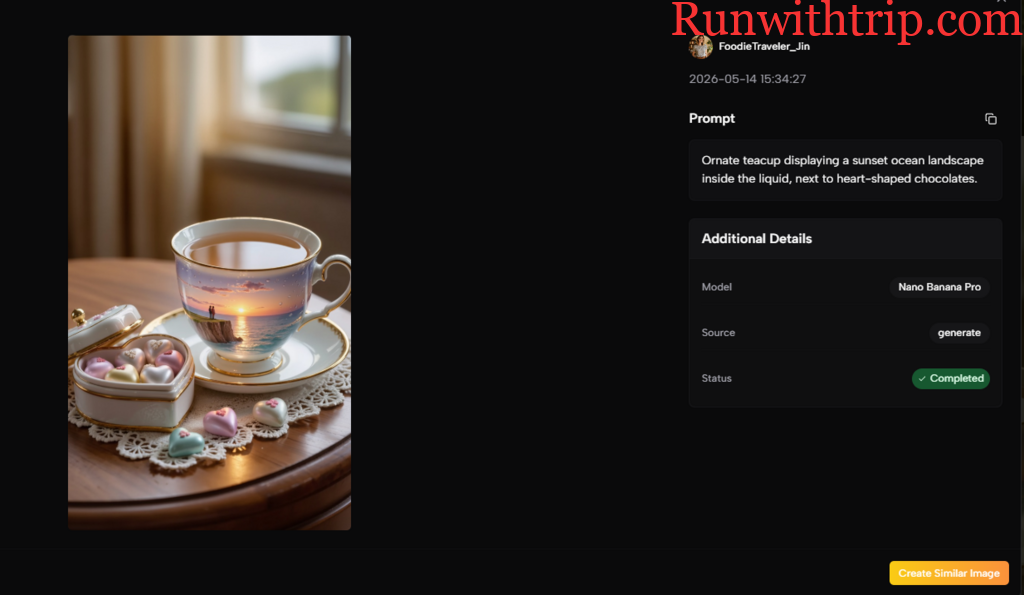
What I keep circling back to is that the best video clip I saw during this test didn’t come from the platform with the most advanced video model — it came from the platform where I could iterate fastest. I’d generate an image, spot that the composition needed a slight shift, regenerate it, animate it, and compare it to the previous attempt, all without leaving a single browser tab. That speed of iteration led to better results than a more powerful model that I could only afford to run twice. In the current state of AI video, where outputs are still unpredictable, the ability to try again quickly is worth more than a marginal improvement in motion smoothness. ToImage AI understood that, or at least built a workflow that accidentally prioritized it, and that’s why the feature finally feels ready for the part of my workweek where “good enough and on time” is the only brief that matters.