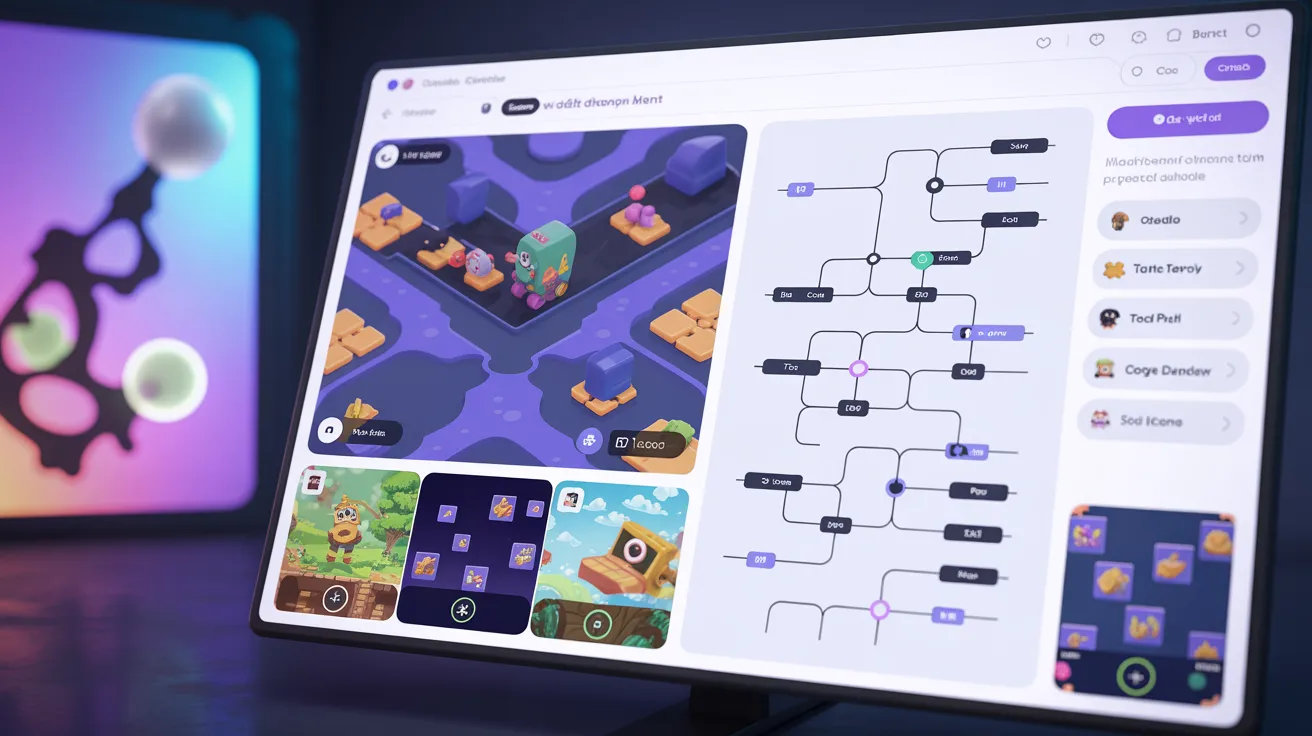
No-Code Game Maker To Create Exciting Games
A No-Code Game Maker is a type of software that enables users to design games without having to write code. There’s no need to know hard programming languages or have intricate technical knowledge. Everything works with simple tools like drag and drop, ready-made templates, and visual settings. This makes game development easy for beginners and students. In simple Englishh it means anyone with an idea can build a game without becoming a programmer.
Many students think game development is only for experts. They feel scared when they hear about coding and software development. But a No Code Game Maker changes this mindset completely. It gives you confidence because you can see results quickly. You start small, learn step by step, and slowly create something exciting. That is why many beginners now prefer no-code tools to start their creative journey.
In this article, I will explain how a No Code Game Maker helps students create exciting projects. I will also share important features, benefits, and simple guidance in a student tone. If you want to explore more creative tools, you can also check Astrocade.
Easy Game Design
A no-code game maker makes the process of game design simple and comfortable for beginners. You can choose a template according to your idea, such as a puzzle game quiz game, or a platform game. After selecting a template, you only need to adjustthe characters’ backgrounds and levels. All of it is already organized such that the students can easily comprehend. It really saves a lot of time and energy.
Rather than having to write long lines of code, you work visually. You click on objects and set their actions through simple options. For example, you can decide how a character moves, how points are collected, or when a level ends. This visual system helps students understand game logic without stress. It feels creative and enjoyable rather than technical and difficult.
Drag Drop Tools
Drag and drop tools are the heart of every No Code Game Maker. This feature allows you to pick any object, such as a character or button, and place it anywhere on the screen. You can also connect actions to these objects without coding. For example, when a player clicks a button, it can open a new level or increase the score.
For students, this system feels similar to arranging slides in a presentation or editing a simple project. You clearly see what you are building. If something goes wrong, you can fix it quickly without confusion. This makes learning smooth and practical. It also encourages students to experiment with different ideas confidently.
Creative Learning Benefits
Using a No Code Game Maker is not only about making games. It is also about improving creative and logical thinking. When students design a project, they plan levels of challenges and rewards. They think about how players will react and how the game should flow. This improves problem-solving skills and decision-making ability.
For example, if you create a game, you need to decide how players will collect letters or answer questions. You set rules for winning and losing. Even without coding, you learn the structure of real game development. This makes learning interactive and practical. Students feel proud when their ideas turn into working games.
Fast Publishing Process
One of the biggest advantages of a No Code Game Maker is quick publishing. After completing your project, you can test it instantly. If everything works well, you can publish it online with just one click. This feature is very helpful for students who want quick results and feedback.
You can share your game with friends, classmates, or even teachers. Some platforms also allow mobile publishing, which means your game can run on phones and computers. This gives students a real-world experience. Seeing others play your game builds confidence and motivation to improve further.
Beginner-Friendly Platform
A No-Code Game Maker is specially designed for beginners. The interface is clear and clean is very easy to understand. The sentences in the tasks are usually composed using simple English in order to avoid making the students feel lost. You don’t need any technical background to start building a project now.
Tutorials, guides, and community support also help new users. Step-by-step videos allow students to watch and follow along. They have the opportunity to ask questions and learn from each other. This friendly environment removes fear and builds interest. Step by step, students move from simple projects to more advanced, exciting games.
Conclusion
No Code Game Maker is the best solution for students who want to create exciting games without coding. It simplifies the entire development process and makes it accessible to everyone. With drag and drop tools, ready-made assets, and simple instructions, building a game becomes stress-free and enjoyable. Even a game like Diner Dash Delights can be designed easily with creativity and focus.
A No Code Game Maker not only saves time but also builds important skills. Students improve problem-solving, design thinking, and teamwork while working on projects. It is a smart and modern way to enter the world of game development. If you want to start your journey in a simple and practical way, this tool is the perfect choice.
FAQs
What is a No-Code Game Maker?
A No-Code Game Maker is a tool that allows people to create games without programming. It uses visual tools like drag and drop. It is ideal for beginners and students.
Is No-Code Game Maker good for school projects?
Yes, it is perfect for school projects. Students can quickly design interactive games. It also enhances the imagination and logical manner of thinking.
How long is the build time for a simple game?
Thanks to the No Code Game Maker, the simple game can be built in a couple of hours or days. It depends on your idea and design. The process is much faster than traditional coding.
Do I need programming knowledge?
No programming knowledge is required. The platform is designed for beginners. You only need to understand basic instructions.
Can I publish my game online easily?
Yes, most No Code Game Maker platforms offer easy publishing options. You can share your game with others in just a few steps.